USB or XLR for Dictation: Where the Accuracy Actually Comes From
By FreqDeck · 9 min read · Updated September 2026
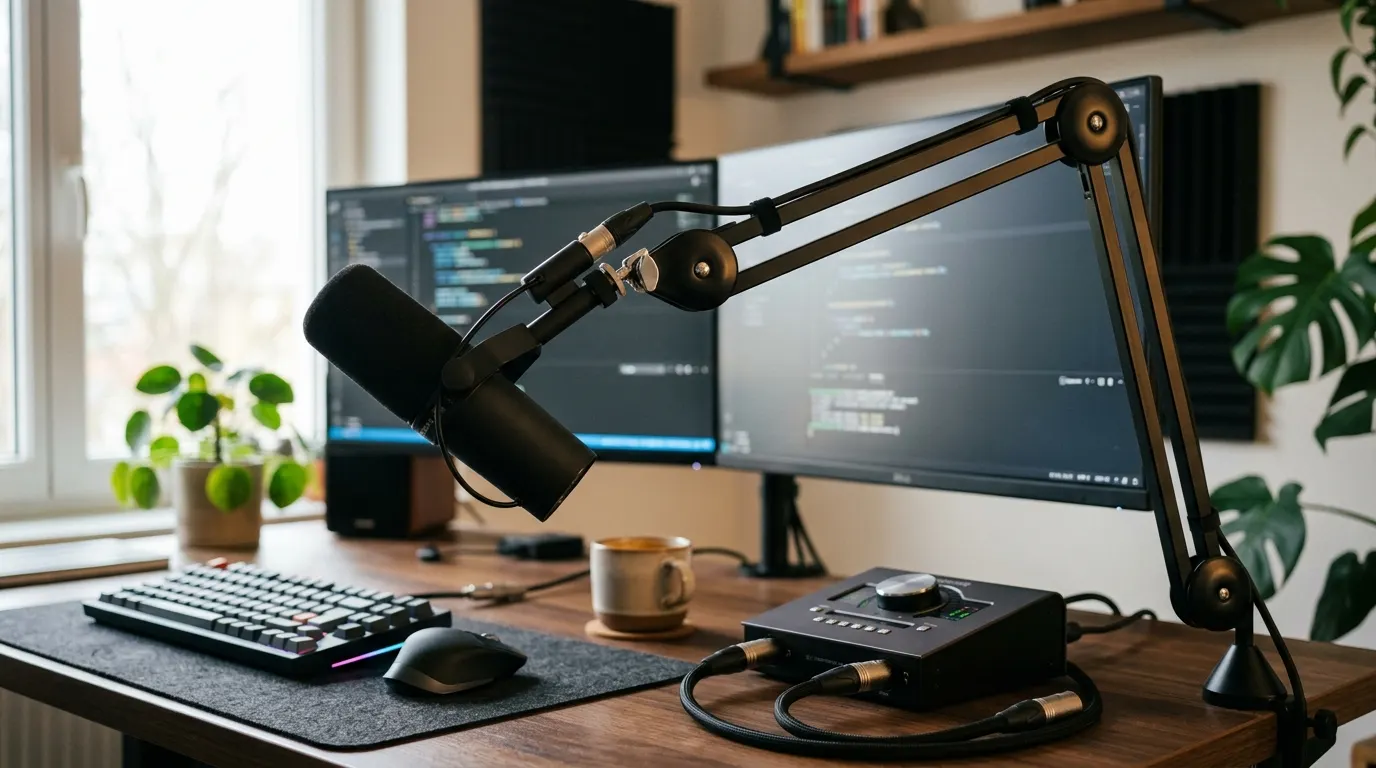
Most developers choose USB microphones for AI dictation because they plug directly into a laptop without extra hardware. But a growing number of developers with existing XLR microphones, or developers building professional voice-coding setups, ask whether an XLR microphone with an audio interface delivers meaningfully better Whisper accuracy. The short answer is no: a clean USB microphone like the Rode PodMic USB delivers equivalent Whisper word-error rates to an XLR mic with a Focusrite Scarlett Solo or Rode AI-1 interface at a lower total cost and zero setup complexity. The longer answer explains why the microphone matters infinitely more than the connection type, and when an XLR upgrade actually makes sense.
Quick answer
USB is the better choice for most developers using Whisper-based dictation. A quality USB microphone like the Rode PodMic USB matches XLR-with-interface accuracy at lower cost and zero setup. Choose XLR only if you already own a high-end XLR microphone or need hardware gain control and zero-latency monitoring.
This guide contains affiliate links. FreqDeck may earn a commission at no cost to you.
Why Whisper accuracy does not depend on USB versus XLR
OpenAI Whisper cares about one thing: the audio signal it receives. The connection type, whether USB or XLR, does not appear in the acoustic model at all. Whisper resamples input audio to 16 kHz before processing and looks for the speech pattern encoded in that signal. If the signal-to-noise ratio is clean, the word-error rate is low. The microphone itself, the polar pattern, the preamp noise floor, and the proximity to your mouth determine that signal quality. The USB or XLR connector does not.
This is easy to test. A Rode PodMic USB over USB produces identical Whisper transcription accuracy to a Rode NT-USB Mini condenser or an XLR broadcast microphone routed through an interface, as long as all three are positioned identically and capture the same voice signal. Whisper does not reward the XLR path. It rewards clean audio.
The practical implication is that a developer asking "should I use USB or XLR for better Whisper accuracy" is asking the wrong question. The real question is whether the microphone itself is good at capturing your voice cleanly. If you already own a good XLR microphone and have an interface, use it. If you do not own an XLR mic, buy a USB mic and save the interface cost.
USB microphones: simpler, cheaper, and equally accurate
The Rode PodMic USB at $199 is a broadcast-grade dynamic cardioid microphone with direct USB-C output. It connects to any modern laptop without drivers, audio interface, or configuration. Whisper sees the same clean signal from this USB connection as it would from an XLR cable into an interface, so transcription accuracy is identical. The USB path is simpler and costs less.
A complete USB voice-coding setup costs $250 to $400: microphone, boom arm, and optional pop filter. The Rode PSA1+ arm at $112 plus the Aokeo pop filter at $10 creates a complete, professional dictation chain from the Rode PodMic USB without needing anything else. Plug into the laptop and start Wispr Flow or superwhisper. No interface, no configuration.
Budget alternatives like the Audio-Technica ATR2100x-USB at $79 are dynamic cardioids that produce equivalent Whisper accuracy in typical home offices. At this price point, the USB advantage is not just convenience but also cost-effectiveness.

Rode PodMic USB
A broadcast-grade dynamic mic with both USB-C and XLR outputs, tight cardioid pattern, and a built-in headphone output. The top Whisper and Wispr Flow recommendation in developer communities.

Rode PSA1+ Professional Swivel Mount Studio Arm
The professional broadcast studio arm that handles heavier mics like the Rode PodMic USB without sagging, with full internal cable routing and smooth friction-controlled movement.

Aokeo Professional Microphone Pop Filter
A double-layer nylon mesh pop filter on a flexible gooseneck clamp that attaches to any boom arm and blocks plosive breath sounds without muffling high-frequency voice detail.

Audio-Technica ATR2100x-USB
A dynamic cardioid mic with both USB-C and XLR outputs, clean preamp, and a warm sound character. A long-running developer favorite for AI dictation on a tight budget.
XLR with an interface: when it makes sense
An XLR microphone with an audio interface makes sense in exactly two scenarios. First, you already own a quality XLR microphone, such as a broadcast dynamic like the Shure SM7B, a podcast condenser, or a legacy studio mic sitting in a closet. Second, you want hardware gain control and zero-latency monitoring for real-time listening to your voice during dictation sessions or for voice coaching workflows.
If neither applies to you, building an XLR setup from scratch is more expensive and more complex than USB without any Whisper accuracy gain. A complete XLR dictation setup costs $300 to $500: a decent XLR microphone at $150-$250 plus a Focusrite Scarlett Solo interface at $160 plus a boom arm plus a shock mount and pop filter. That is nearly double a USB setup for identical transcription results.
The Focusrite Scarlett Solo 4th Gen at $160 is the go-to interface for this use case because its Air mode adds a subtle high-frequency bump that makes voice clearer in dictation applications. The Rode AI-1 Audio Interface at $129 is the Rode-specific alternative with zero-latency hardware monitoring built in. Either routes to affiliate programs at better commission rates than Amazon fallback.

Focusrite Scarlett Solo 4th Gen
The most popular audio interface for home studios and developer setups, with a clean low-noise preamp, Air mode for voice clarity, USB-C, and class-compliant macOS support without a driver.

Rode AI-1 Audio Interface
Rode's own single-channel audio interface with a studio-grade preamp, zero-latency hardware monitoring, and tight integration with Rode mics including the NT1 and PodMic XLR.
The interface advantage: gain control and monitoring
An audio interface provides two genuine advantages that USB microphones do not. First, onboard gain knob control lets you adjust microphone input level without digging into OS audio settings. Second, zero-latency hardware monitoring through the interface headphone output lets you hear your voice live during dictation without the slight delay that software monitoring introduces.
For a developer who uses voice dictation as a full-time workflow, zero-latency monitoring matters because you can catch yourself drifting off-mic or raising your voice without waiting for the software path. For most developers who voice-code part-time or use it for async updates, software monitoring is adequate and this advantage is small.
Gain control via knob rather than OS slider is ergonomic but not acoustic. It does not change Whisper accuracy. The microphone signal itself determines the noise floor; the gain knob just controls how much of that signal the interface presents to the computer.
Featured in this guide
Rode PodMic USB
A broadcast-grade dynamic mic with both USB-C and XLR outputs, tight cardioid pattern, and a built-in headphone output. The top Whisper and Wispr Flow recommendation in developer communities.
Focusrite Scarlett Solo 4th Gen
The most popular audio interface for home studios and developer setups, with a clean low-noise preamp, Air mode for voice clarity, USB-C, and class-compliant macOS support without a driver.
Rode AI-1 Audio Interface
Rode's own single-channel audio interface with a studio-grade preamp, zero-latency hardware monitoring, and tight integration with Rode mics including the NT1 and PodMic XLR.
Audio-Technica ATR2100x-USB
A dynamic cardioid mic with both USB-C and XLR outputs, clean preamp, and a warm sound character. A long-running developer favorite for AI dictation on a tight budget.
Rode PSA1+ Professional Swivel Mount Studio Arm
The professional broadcast studio arm that handles heavier mics like the Rode PodMic USB without sagging, with full internal cable routing and smooth friction-controlled movement.
Aokeo Professional Microphone Pop Filter
A double-layer nylon mesh pop filter on a flexible gooseneck clamp that attaches to any boom arm and blocks plosive breath sounds without muffling high-frequency voice detail.
FAQ
Frequently asked questions
Does XLR give you better Whisper transcription accuracy than USB?+
No. Whisper cares only about the audio signal it receives. A clean USB signal produces identical word-error rates to an XLR signal through an interface. The microphone type, polar pattern, and positioning matter infinitely more than whether the connection is USB or XLR. Choose USB for simplicity and cost; choose XLR only if you already own a good XLR mic or need hardware gain control.
Is an audio interface worth it for Whisper dictation?+
Only if you already own a quality XLR microphone or if you want zero-latency hardware monitoring and a physical gain knob. If you are starting from scratch, a USB microphone is cheaper, simpler, and produces identical transcription accuracy. A complete USB setup costs $250-400; an equivalent XLR setup costs $300-500 for the same Whisper results.
Which USB microphone delivers the same quality as a professional XLR setup?+
The Rode PodMic USB at $199 is a broadcast-grade dynamic microphone that delivers equivalent Whisper accuracy to XLR mics with professional interfaces. The Audio-Technica ATR2100x-USB at $79 is the budget alternative with the same dynamic cardioid pattern. Both produce identical transcription word-error rates to XLR setups in real home office environments.
Should I buy an XLR microphone and interface if I want the best setup?+
No. The best setup is the microphone that captures your voice cleanest at the price you are willing to spend, connected the simplest way. A USB microphone with a boom arm is better than an XLR mic with an interface you did not really want to buy. Buy XLR only if you already own one or if you specifically need hardware gain control for a professional workflow.